TurboWatch

Video Speed Controller & Volume Booster

Browser extension · Coming soon for Chrome and Edge

Watch videos faster, from the keyboard, and make quiet tabs louder. On YouTube, online courses, podcasts and any video or audio player. Everything happens in your browser: no server, no account.

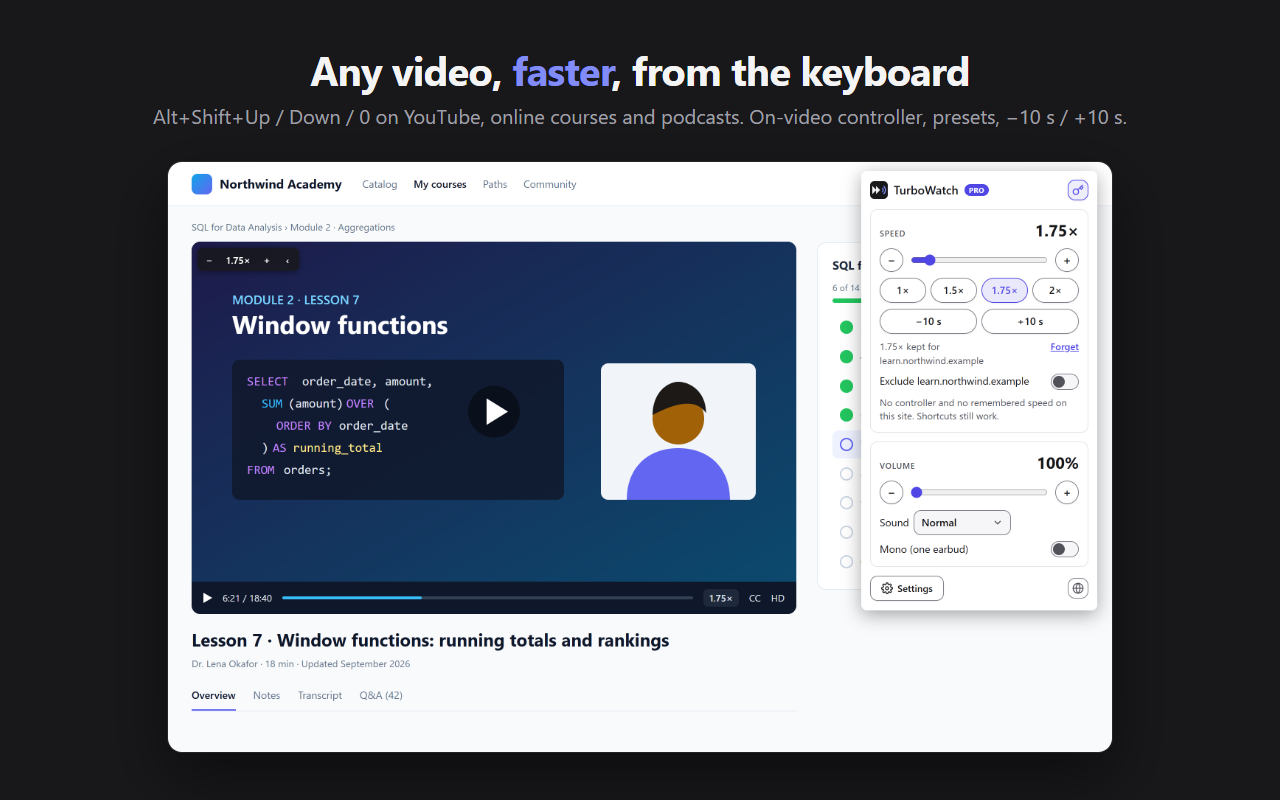
The TurboWatch popup over an online lesson played at 1.75×: speed, presets, −10 s / +10 s and volume

Features

Faster, louder, from the keyboard

Every video, at your speed

  • From 0.5× to 4×, on every video and sound of the page, including the next video
  • Alt+Shift+Up to speed up, Alt+Shift+Down to slow down, Alt+Shift+0 to go back to 1×; you can change them in the browser's shortcut settings
  • On the page, a single key: S slower, D faster, R 1×, Z −10 s, X +10 s, never while you type
  • A small controller on the video under the pointer, and the speed shown on the video, also in full screen
  • Sites that reset the speed to 1× between two videos or after an ad are corrected; video calls and music can be excluded
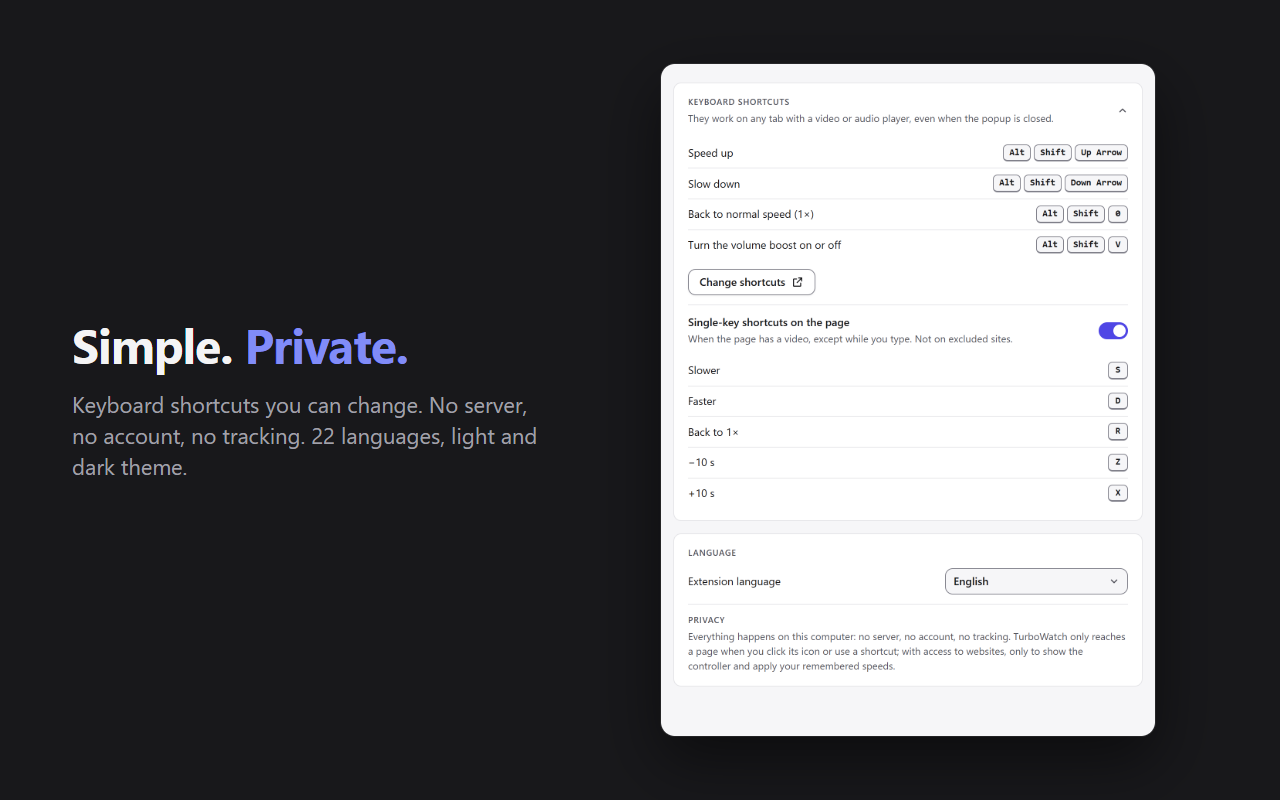
TurboWatch keyboard shortcuts: Alt+Shift+Up, Down, 0 and V, and the S, D, R, Z and X keys on the page

Sound up to 600%

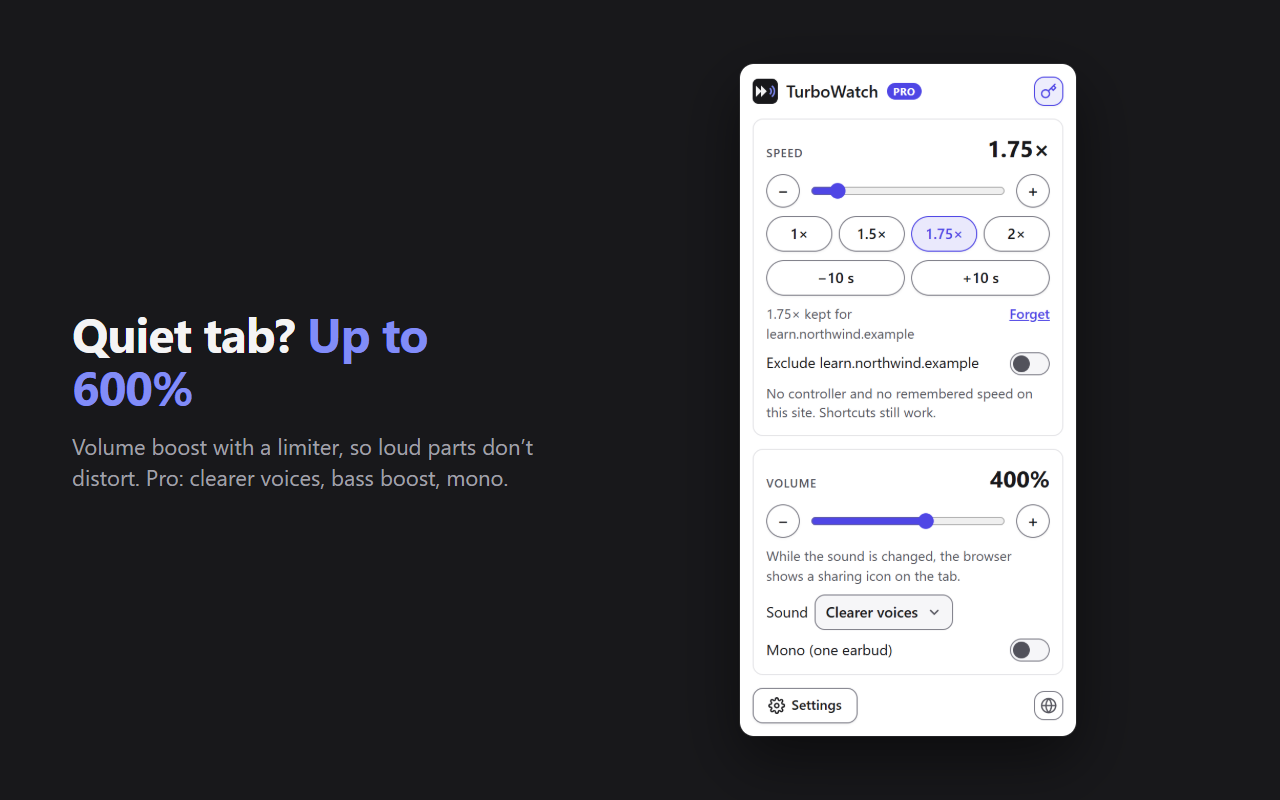
A tab too quiet? Raise its volume up to 600%, with a limiter so loud parts don't distort. Alt+Shift+V turns the boost on and off.

While the sound is boosted, the browser shows a sharing icon on the tab: it is how the browser shows that TurboWatch processes the sound. The sound never leaves your computer.

Clearer soundPRO

For poorly recorded lessons: clearer voices, bass boost, or mono to listen with one earbud.

The TurboWatch popup with the volume at 400% and the “Clearer voices” sound

Your speed, site by sitePRO

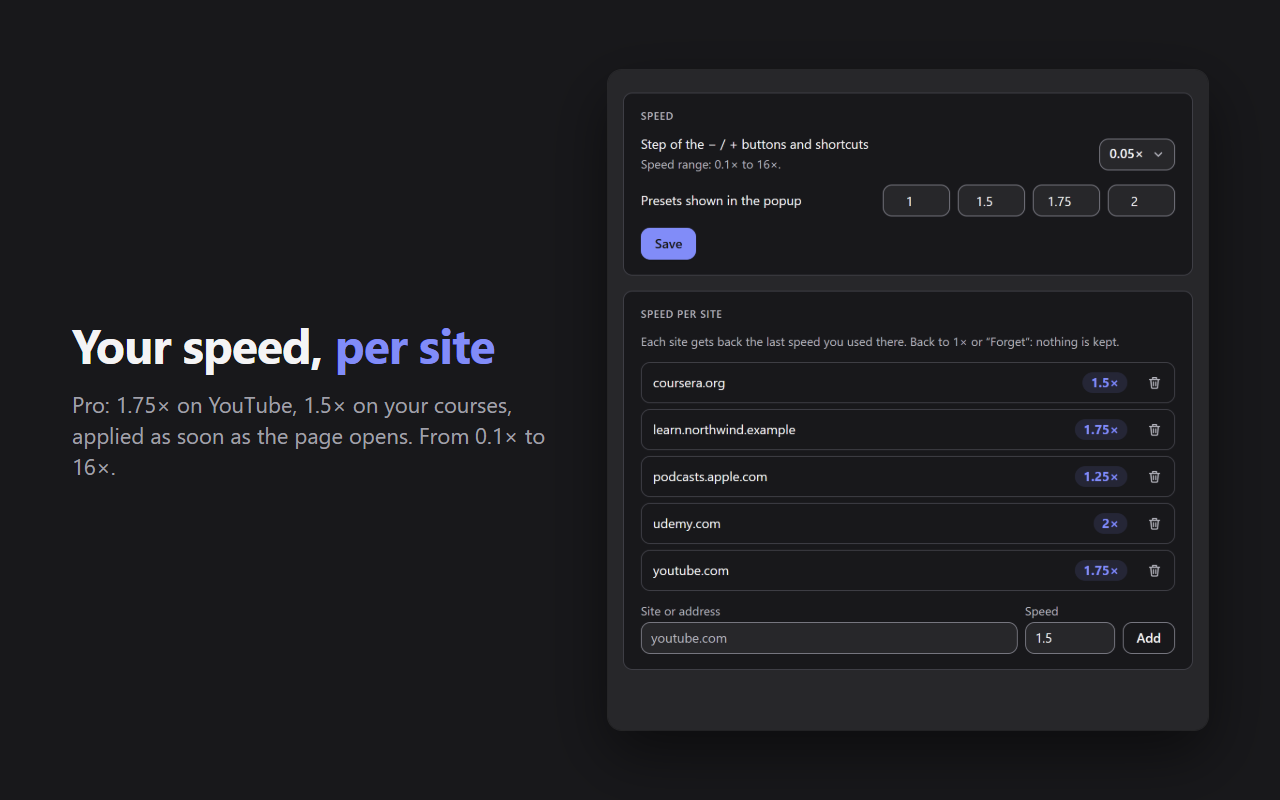
Nothing to set: each site gets back the last speed you used there, as soon as it opens. 1.75× on YouTube, 1.5× on your courses.

  • From 0.1× to 16×, with fine steps of 0.05× or 0.1×
  • Your own 4 presets in the popup
TurboWatch settings: speed step, presets and the speed remembered for each site

Free and Pro

What Pro unlocks

FreePro
Speed0.5× to 4×0.1× to 16×, fine steps
Keyboard shortcuts, −10 s / +10 sYesYes
On-video controller, excluded sitesYesYes
Volume boostUp to 600%, with a limiterUp to 600%, with a limiter
Popup presets1×, 1.25×, 1.5×, 2×Your own
Speed remembered per siteNoYes
SoundNoClearer voices, bass boost, mono

Pro is activated with your Vibevalse Suite license key, entered in TurboWatch's settings. Changing devices? Deactivate the license in the settings, then enter the same key on the new one. The extension requires Chrome or Edge 120 or later.

Privacy

What you watch is your business

  • Everything happens in your browser. No server, no account, no tracker, no ads. Page content is never read or sent.
  • No access to your sites at install. TurboWatch only reaches a page when you click its icon or use a shortcut. For the controller on every video, the browser asks you once for access to websites, if you turn it on.
  • The sound is processed on the spot and played back right away: nothing is recorded or sent.
  • A single connection: the check of your Pro license key with Polar, our payment provider.

Read the TurboWatch privacy policy

Pro, and every other extension

The Vibevalse Suite unlocks Pro in TurboWatch as soon as it is out, and in every extension of the Suite, today's and tomorrow's. One payment, refunded within 14 days if it's not for you.

See the Vibevalse Suite