QRGlance

QR Code Generator & Scanner

Browser extension · Coming soon for Chrome and Edge

Open a page on your phone, share a link with someone across the room, read the QR code shown in a video call: QRGlance does it in one click, without ads, redirects or tracking.

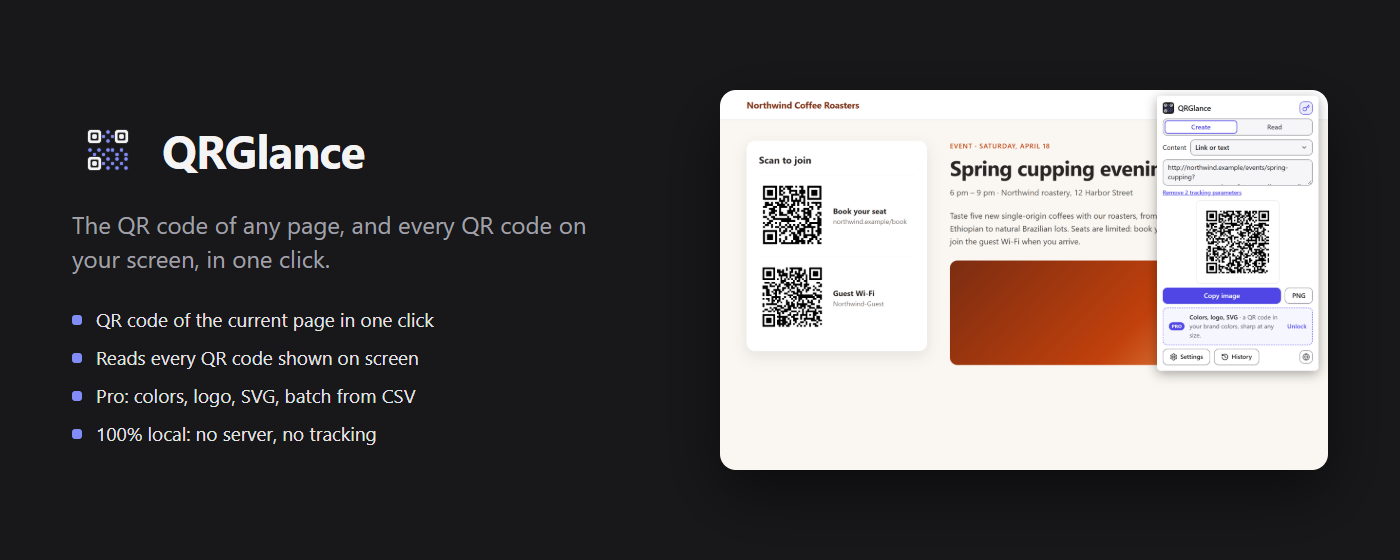
QRGlance: the QR code of any page, and every QR code on your screen, in one click

Features

Create and read, in one click

The QR code of the page, ready to scan

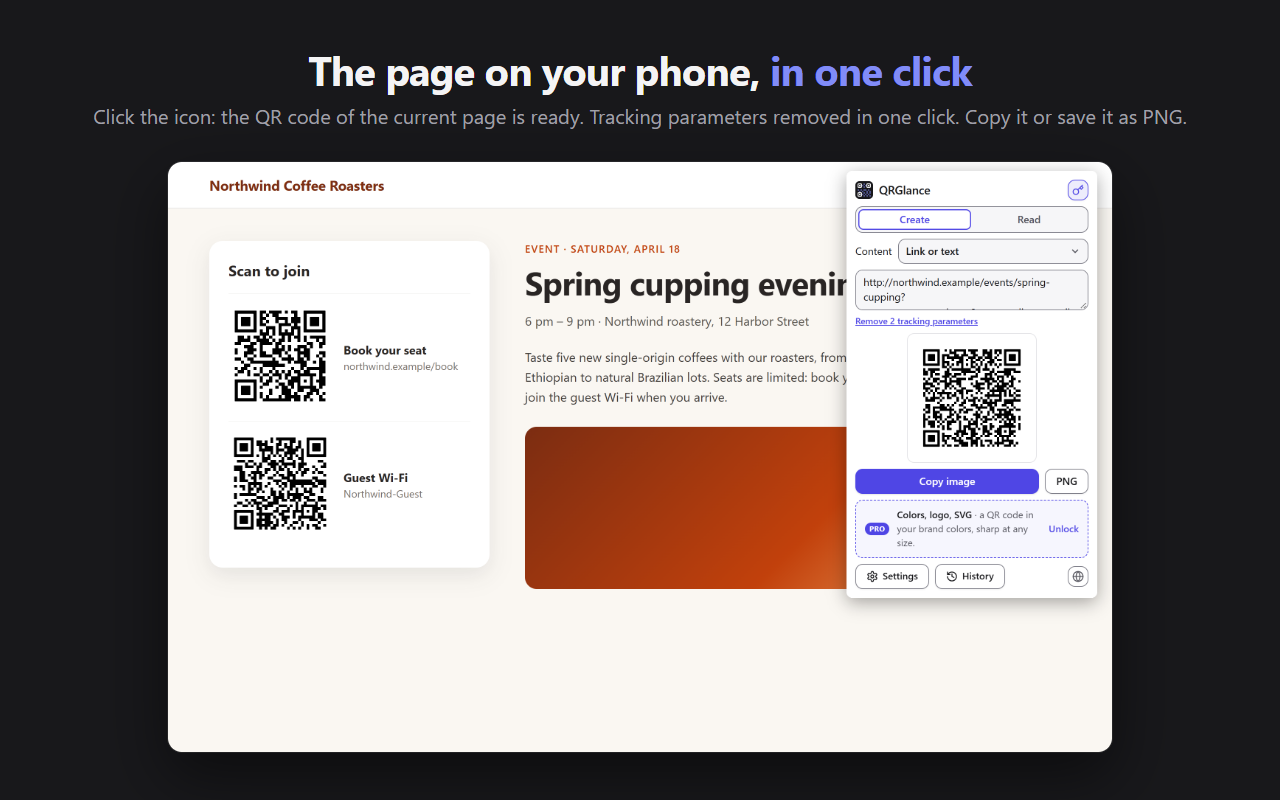
  • Click the icon: the QR code of the current page is ready, scannable from your phone
  • Any text or link instead; one click removes the tracking parameters (utm_source, fbclid…) for a shorter code
  • Right-click a page, a link or selected text: “Create a QR code”
  • Copy the image or download it as PNG
The QRGlance popup over an event page: the QR code of the page, ready to copy or save as PNG

The QR codes on your screen

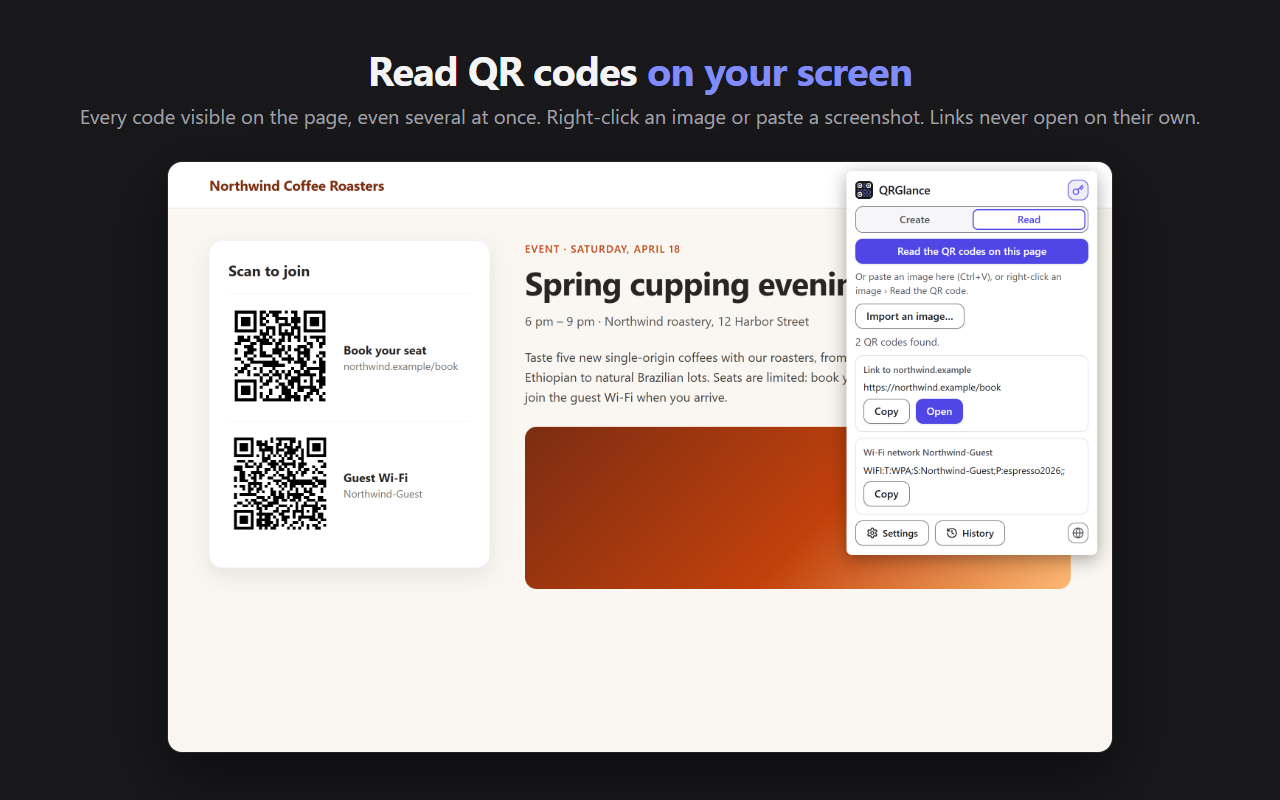
  • “Read the QR codes on this page”: every visible code is read, even several at once, even light on a dark background
  • Right-click an image: “Read the QR code”
  • Paste a screenshot (Ctrl+V) or import an image
  • Links are shown with their site name and never opened automatically: you decide
QRGlance reads the two QR codes of a page: a booking link and a Wi-Fi network

In your brand colorsPRO

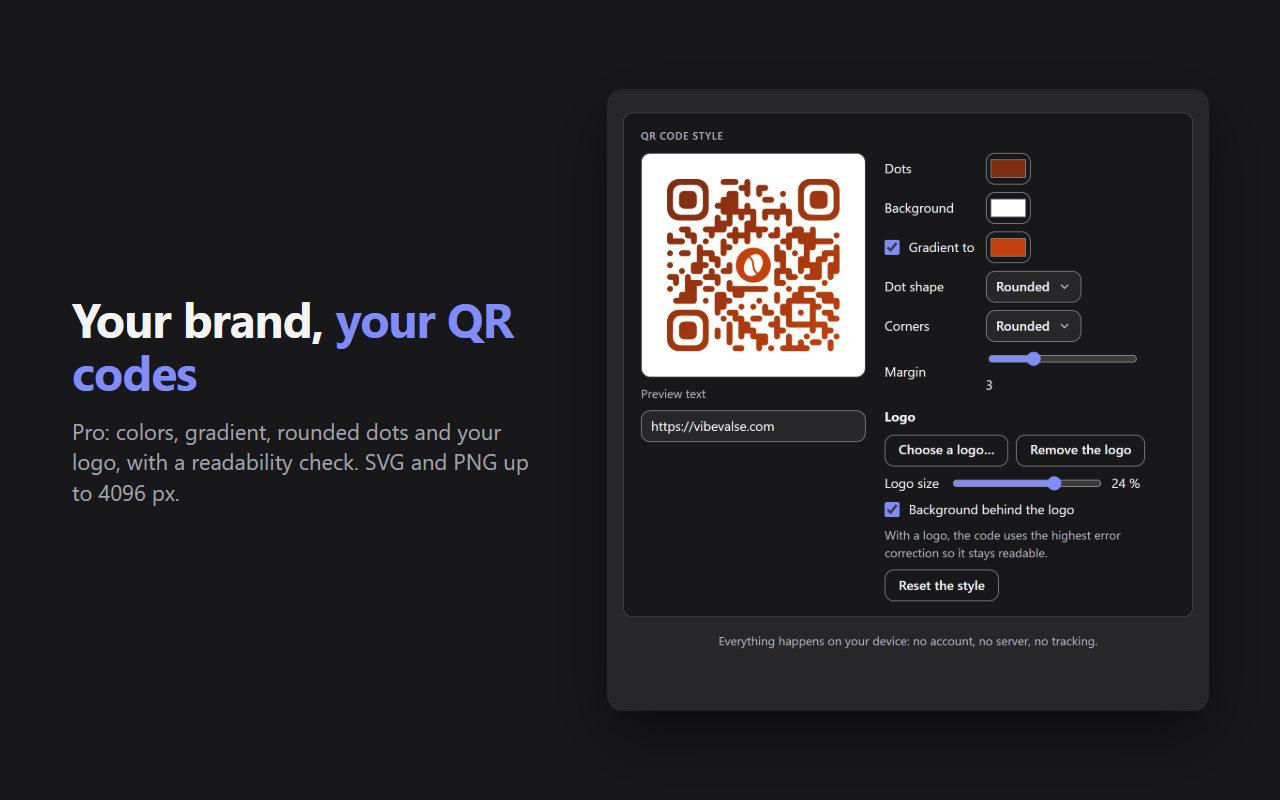
Colors, gradient, rounded dots and corners, and your logo in the center, with a readability check.

SVG export and PNG up to 4096 px, sharp on posters and flyers.

Wi-Fi, contact and morePRO

Wi-Fi, contact (vCard), email, SMS and location codes.

QR code style in Pro: colors, gradient, rounded dots and corners, logo in the center

500 QR codes from a CSVPRO

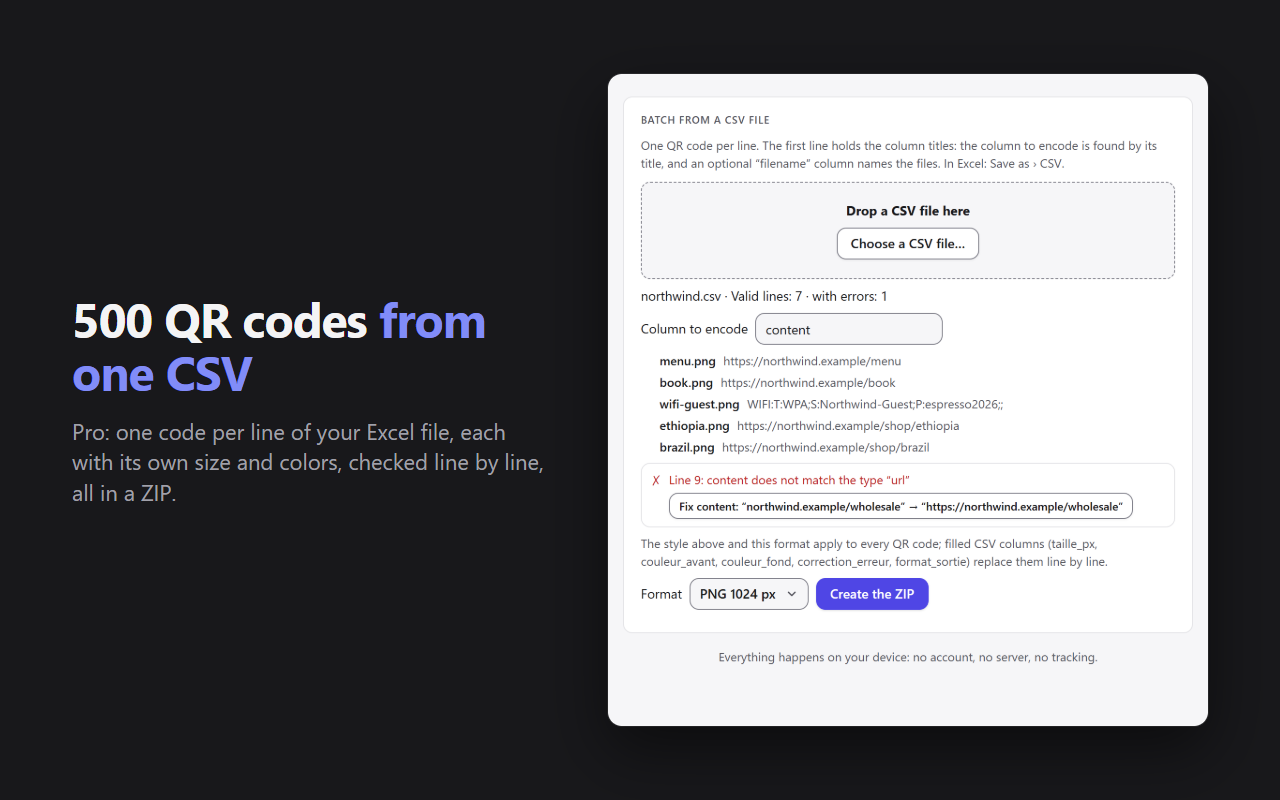
One QR code per line of a CSV file (Excel), up to 500, each with its own size, colors and format. Every line is checked, and everything goes into a ZIP with a report.

A history of 100 codesPRO

Find the codes you created and read, with favorites. The free version keeps the last 5.

Batch from a CSV file: one line per QR code, with an error found and its suggested fix

Free and Pro

What Pro unlocks

FreePro
QR code of the page, a link or a textYesYes
Reading on screen, in an image or a pasted screenshotYesYes
ContentLink or text+ Wi-Fi, contact, email, SMS, location
StyleBlack on whiteColors, gradient, shapes, logo
ExportPNG 512 px, copyPNG up to 4096 px, SVG
HistoryLast 5 codes100 codes, favorites
Batch from a CSVNoUp to 500, in a ZIP

Pro is activated with your Vibevalse Suite license key, entered in QRGlance's settings (License). Changing devices? Deactivate the license in the settings, then enter the same key on the new one. The extension requires Chrome or Edge 120 or later.

Privacy

Your QR codes stay with you

  • Everything happens in your browser. QR codes are created and read on your computer: nothing is uploaded, to Vibevalse or anyone else. No account, no tracker, no ads.
  • No access to your websites. The page is read only when you click, and only that page.
  • No redirect links: a QR code contains exactly the link or text you chose, with no service in between that could disappear.
  • Only the Pro license key is checked with Polar, our payment provider.

Read the QRGlance privacy policy

Pro, and every other extension

The Vibevalse Suite unlocks Pro in QRGlance as soon as it is out, and in every extension of the Suite, today's and tomorrow's. One payment, refunded within 14 days if it's not for you.

See the Vibevalse Suite