Focalock

Website Blocker & Focus Timer

Formerly FocusLock

Browser extension · Available on the Chrome Web Store

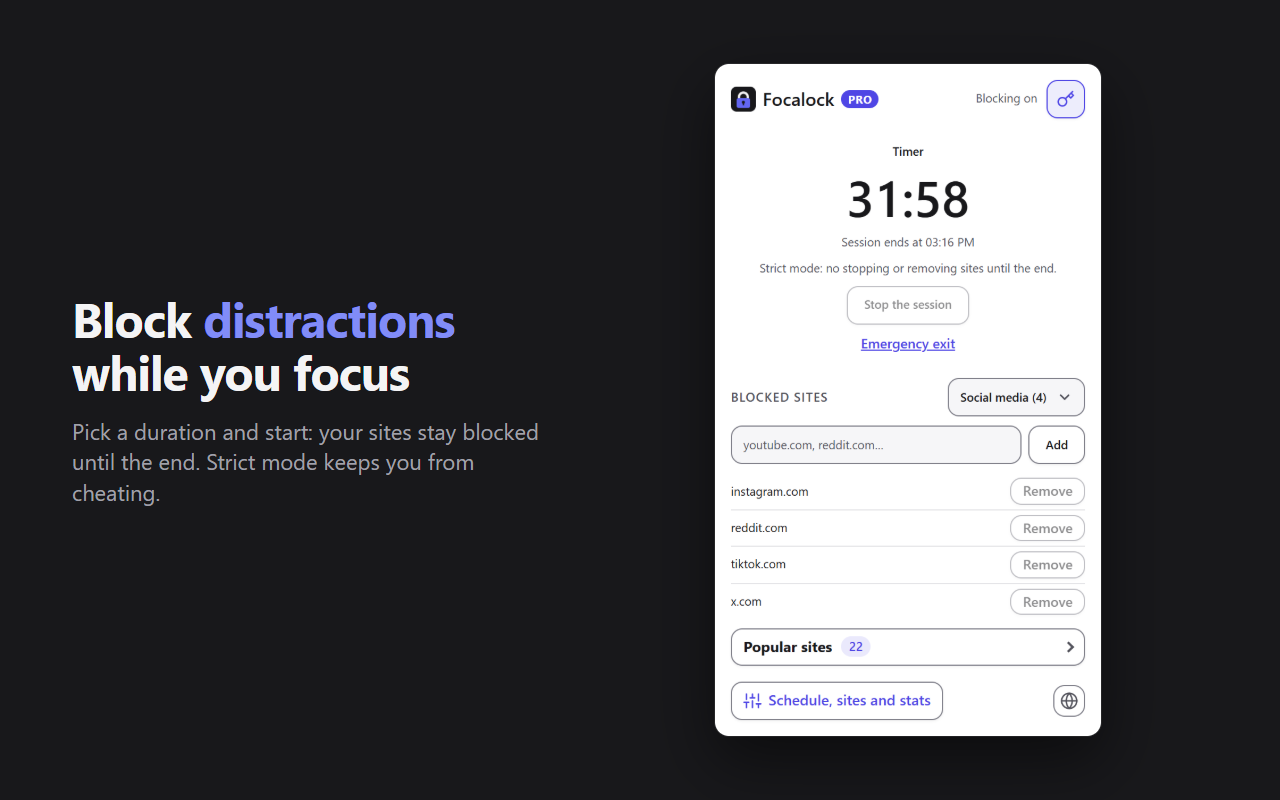
Block the sites that distract you for the length of a focus session. Pick a duration, start the session: your sites stay blocked until the end.

The Focalock popup during a session: countdown, strict mode and list of blocked sites

Features

Everything you need to stay focused

Timer, Pomodoro or endless

  • 25, 50 or 90-minute timer, or any duration up to 12 hours
  • Pomodoro: sites are unblocked during breaks, and a notification marks each switch
  • Endless: blocking lasts until you stop it
  • Time left shown on the extension icon

Strict modePRO

No way to stop the session or remove a site before the end. For a real emergency there is a way out: type a sentence of 50 characters or more by hand.
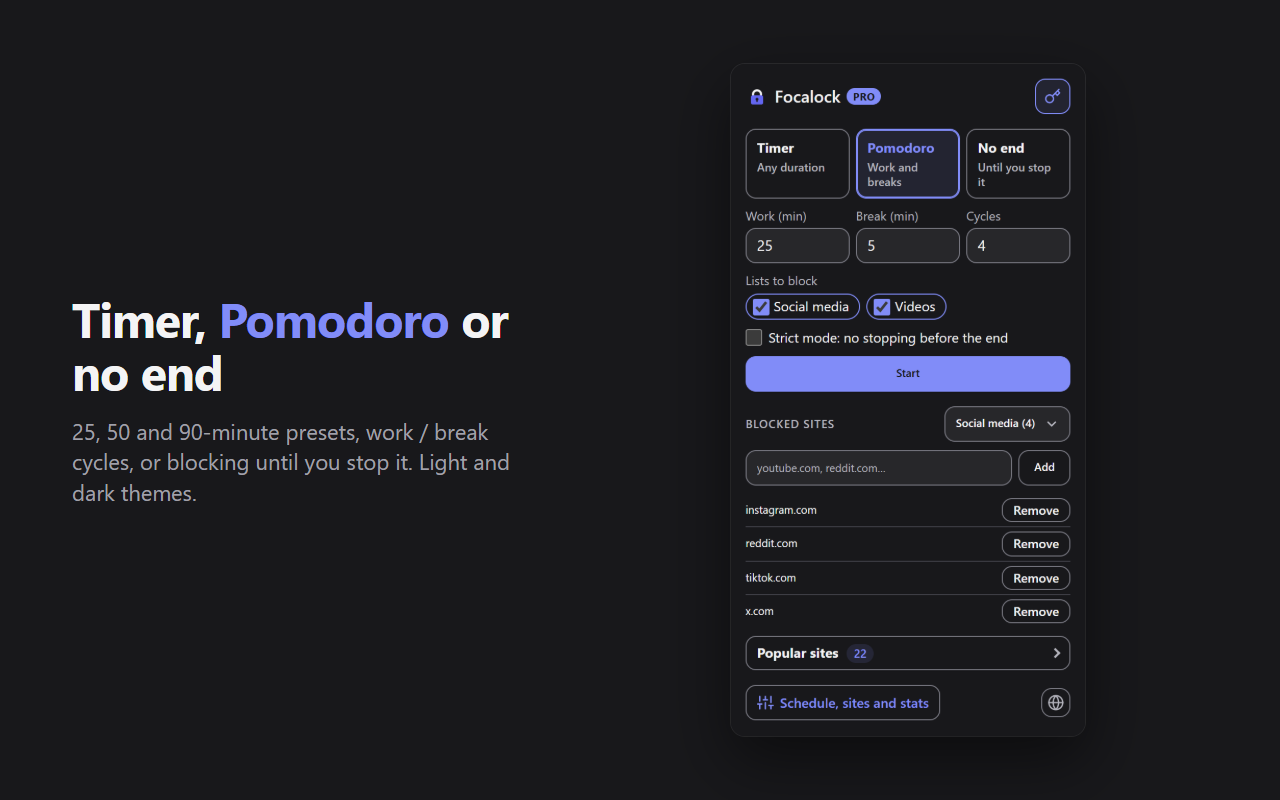
Choosing the mode in Focalock: Timer, Pomodoro with work and break durations, or Endless

A clean block page, if you want it

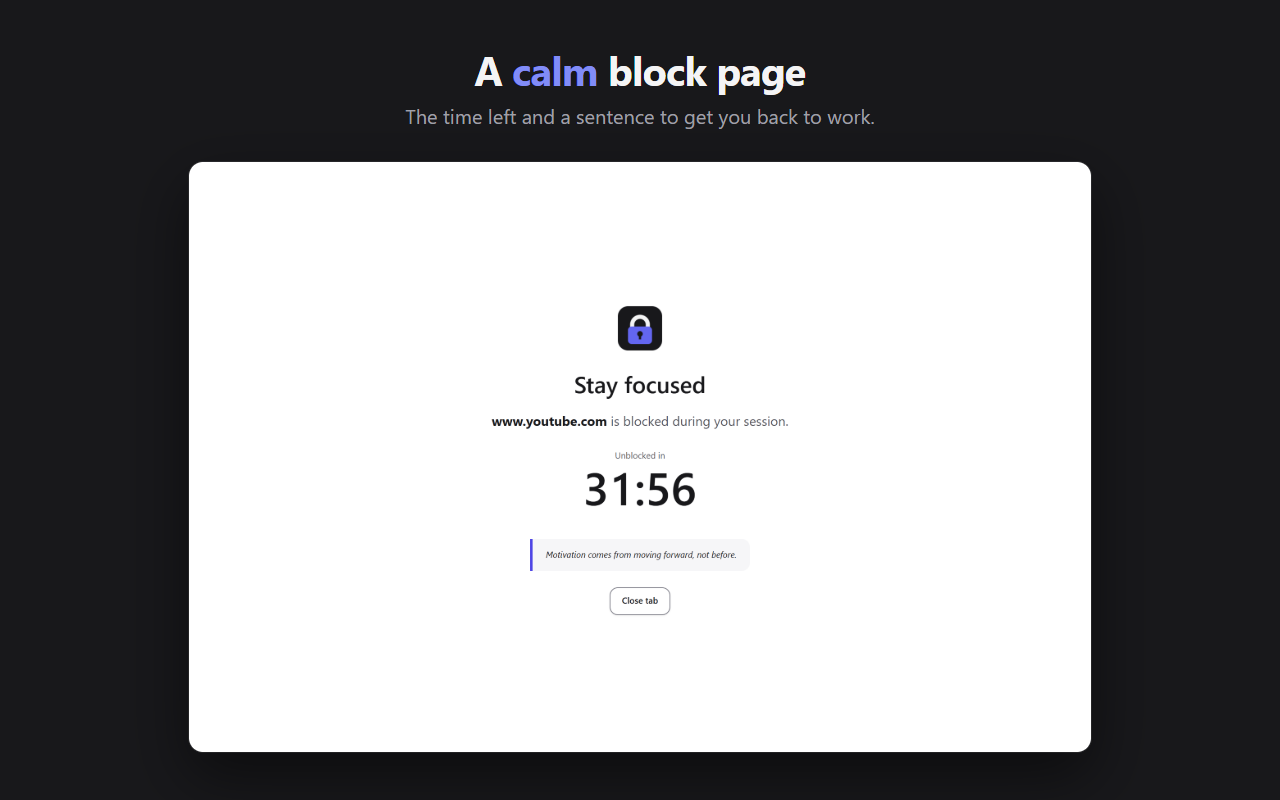
By default, the browser shows its own “blocked” page. Choose the Focalock page instead: the time left and a sentence to get you back to work. The browser then asks you once for permission to read your tabs' addresses, which you can remove in the settings.

  • Subdomains blocked automatically
  • Add a site with a right-click, or several by pasting a list
  • With Pro and the Focalock page, redirect to an address of your choice
The Focalock block page: youtube.com is blocked, unblocked in 31 minutes 56

Schedule and listsPRO

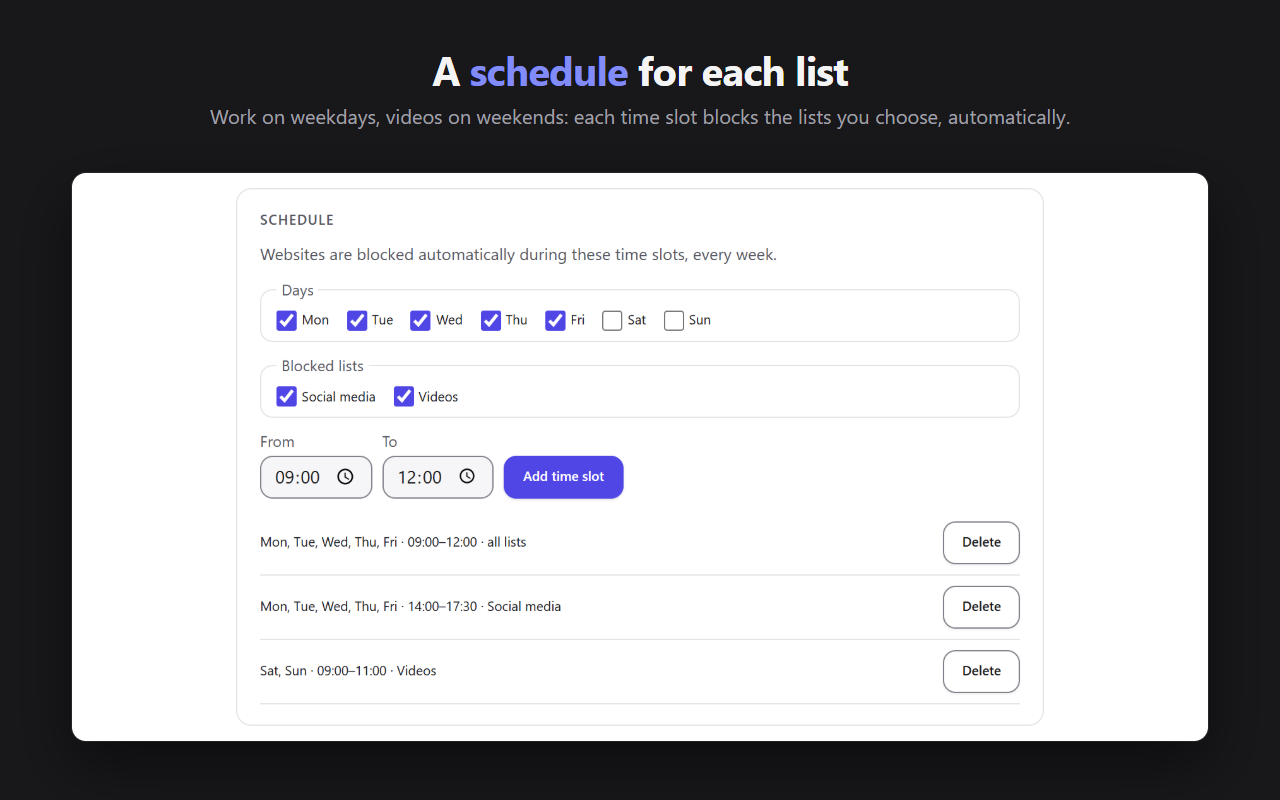
Block automatically on recurring time slots, each with its own lists: work on weekdays, videos on weekends. Create up to 20 lists (Social media, Video…) and choose which ones each session or time slot blocks.

The Focalock schedule: days, blocked lists and recurring time slots

StatisticsPRO

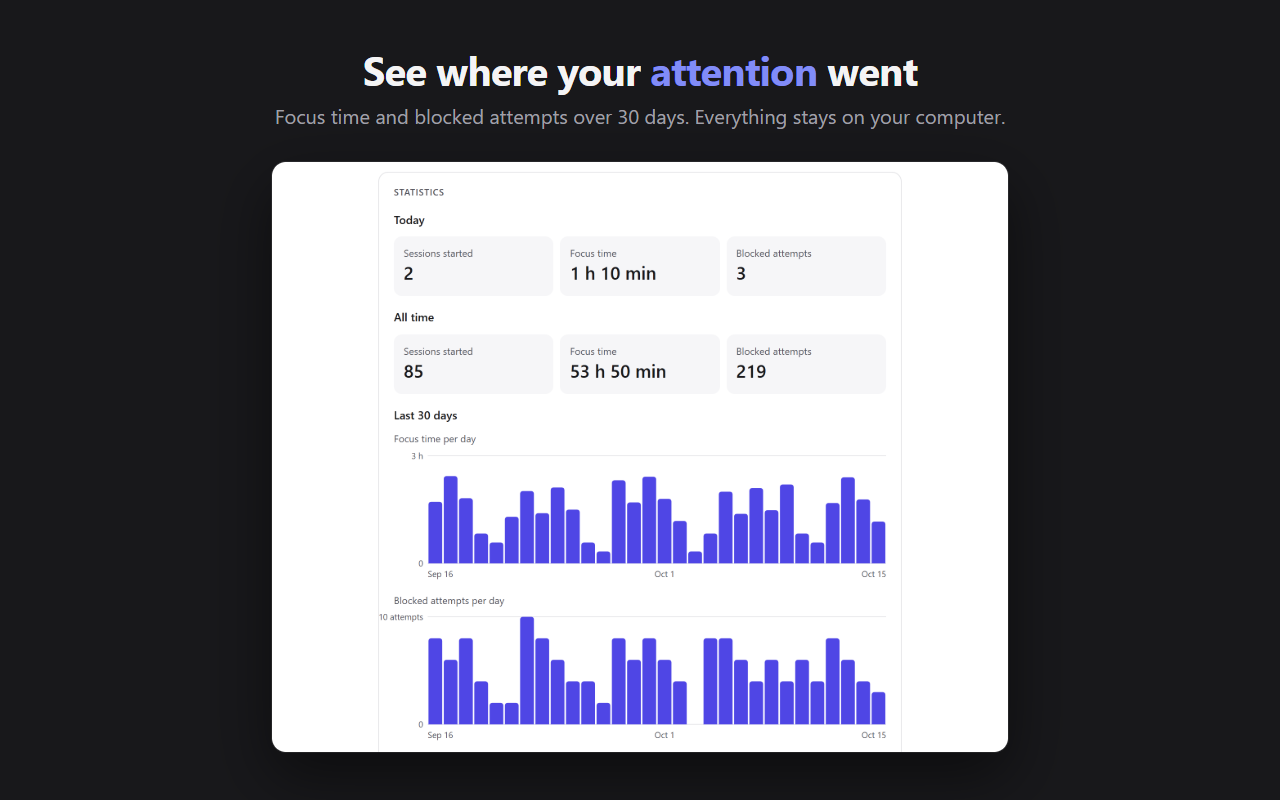
Sessions started, focus time and blocked attempts per site, with 30-day charts. Attempts are counted with the Focalock block page. The free version shows today's figures. Your statistics stay on your computer.

Light and dark themes, 22 languages, with a language picker in the popup.

Focalock statistics: sessions, focus time, blocked attempts and 30-day charts

And also

More calm, fewer settings

Adult website filterFREE

Thousands of adult websites blocked all the time, or only during your sessions and schedule. Lock it with a sentence to type and a delay, or with a PIN code for parental control. Add your own sites and exceptions.

Popular sites in one click

Social media, video, messaging, games: block the most common sites in one click, without typing anything.

Incognito too

Blocking also applies to incognito (InPrivate) windows, once Focalock is allowed there in the browser's extension settings.

No site-by-site access

Focalock asks for access to no site: the browser itself stops blocked pages from loading. The interface is available in 22 languages.

Free and Pro

What Pro unlocks

FreePro
Blocked sitesUnlimitedUnlimited
Timer and endless blockingYesYes
Pomodoro25/5Adjustable
Block listsOneUp to 20
Strict modeNoYes, with an emergency exit
Recurring scheduleNoYes
Block pageBrowser's page or Focalock pageOr redirect to the address of your choice (with the Focalock page)
Adult website filterYesYes
Popular sites in one clickYesYes
StatisticsTodayAll time, 30-day charts

Pro is activated with your Vibevalse Suite license key, entered in the extension's settings (also reachable from the popup). Changing devices? Deactivate the license in the settings, then enter the same key on the new one. The extension requires Chrome or Edge 120 or later.

Pro, and every other extension

The Vibevalse Suite unlocks Pro in Focalock, in EyeDropper, in Snapveil and in every extension of the Suite, today's and tomorrow's. One payment, refunded within 14 days if it's not for you.

See the Vibevalse Suite