ChromaDrop

Color Picker & Palette

Formerly EyeDropper

Browser extension · Coming soon for Chrome and Edge

Pick any color on a page with pixel precision, then copy it as HEX, RGB, HSL or the nearest Tailwind CSS color. For designers and front-end developers.

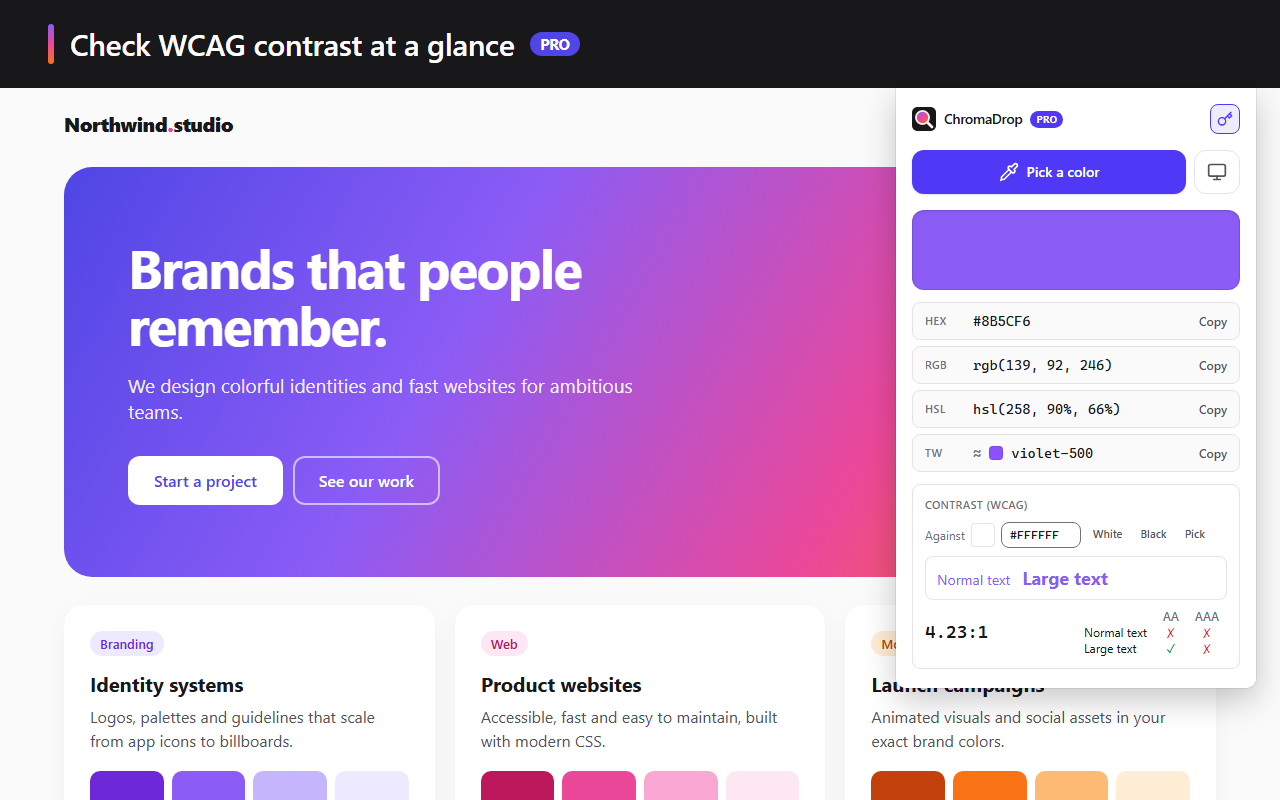
The ChromaDrop popup: the picked color as HEX, RGB, HSL and Tailwind, with its WCAG contrast

Features

Everything you need to grab a color

A pixel-precise magnifier

The eyedropper shows a magnifier over the page so you can aim at exactly the right pixel.

  • Aim with the arrow keys, Shift to move 10 pixels at a time
  • 1-pixel, 3×3 or 5×5 averaging for gradients and images
  • Tag, id and classes of the element under the cursor
  • Full-screen eyedropper to pick a color outside the page
  • Alt+Shift+C shortcut, which you can change, and a right-click menu entry you can turn off in the settings
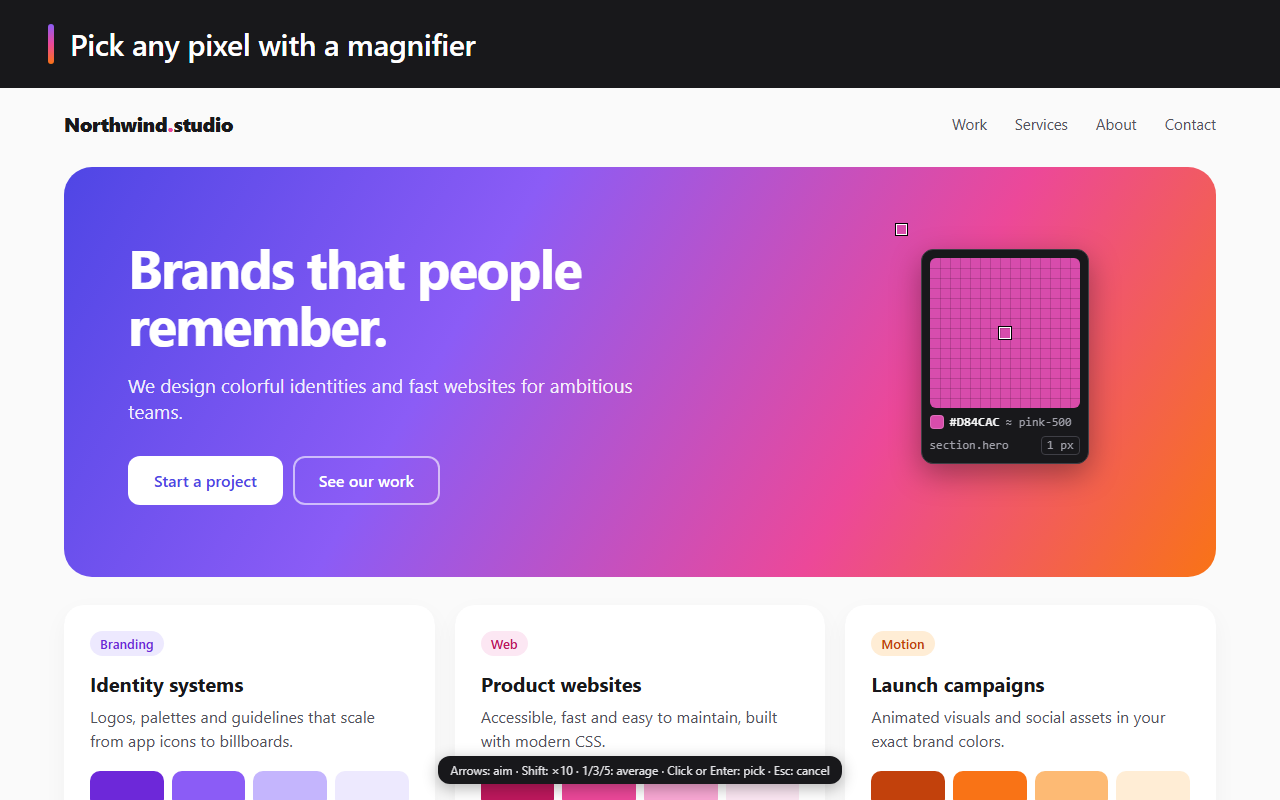
The ChromaDrop magnifier over a page, with the color code, the nearest Tailwind color and the element under the cursor

The right format in one click

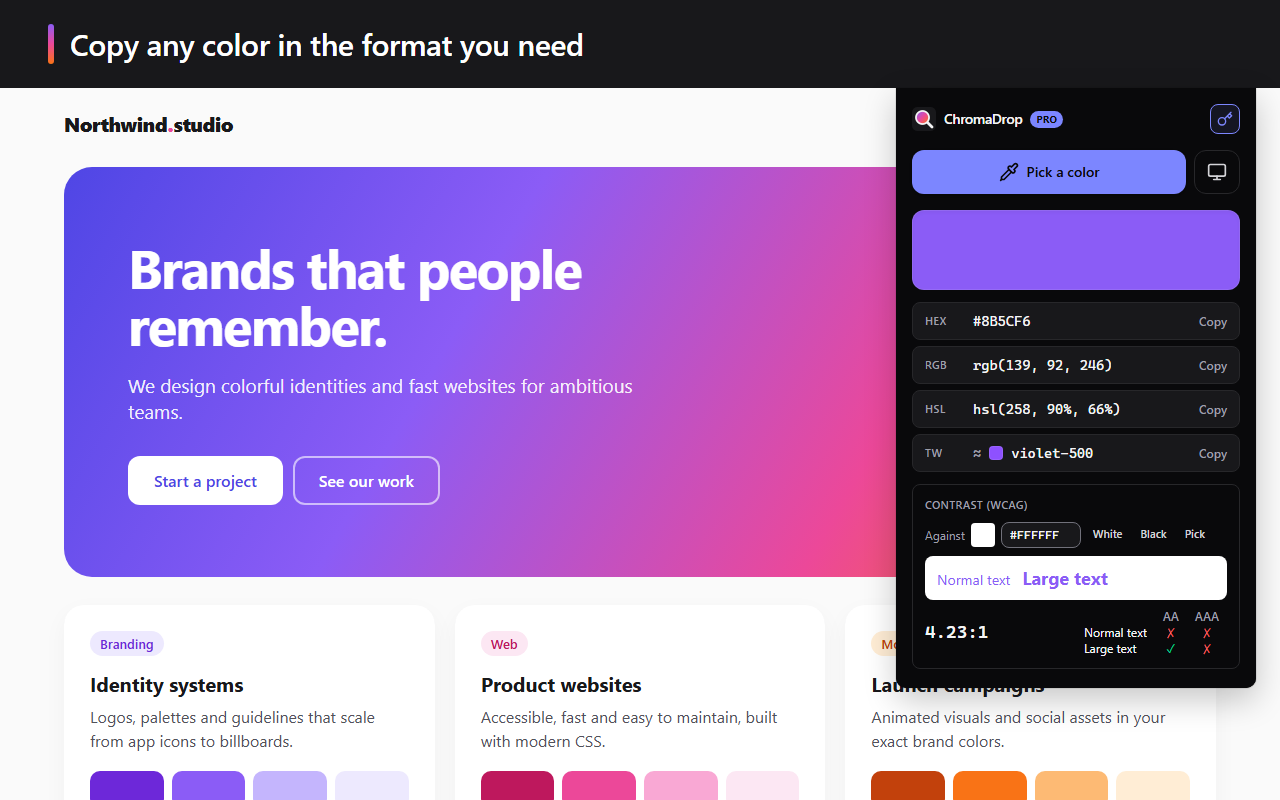
Every color shows as HEX, RGB, HSL and the nearest Tailwind CSS color. One click copies it to the clipboard. Your latest colors stay in the history.

WCAG contrastPRO

Check text contrast against the background of your choice (white, black or a picked color), with the ratio and the AA and AAA levels for normal and large text.

The WCAG contrast of the color on a white background: 4.23:1 ratio and AA and AAA levels for normal and large text

Palettes and exportPRO

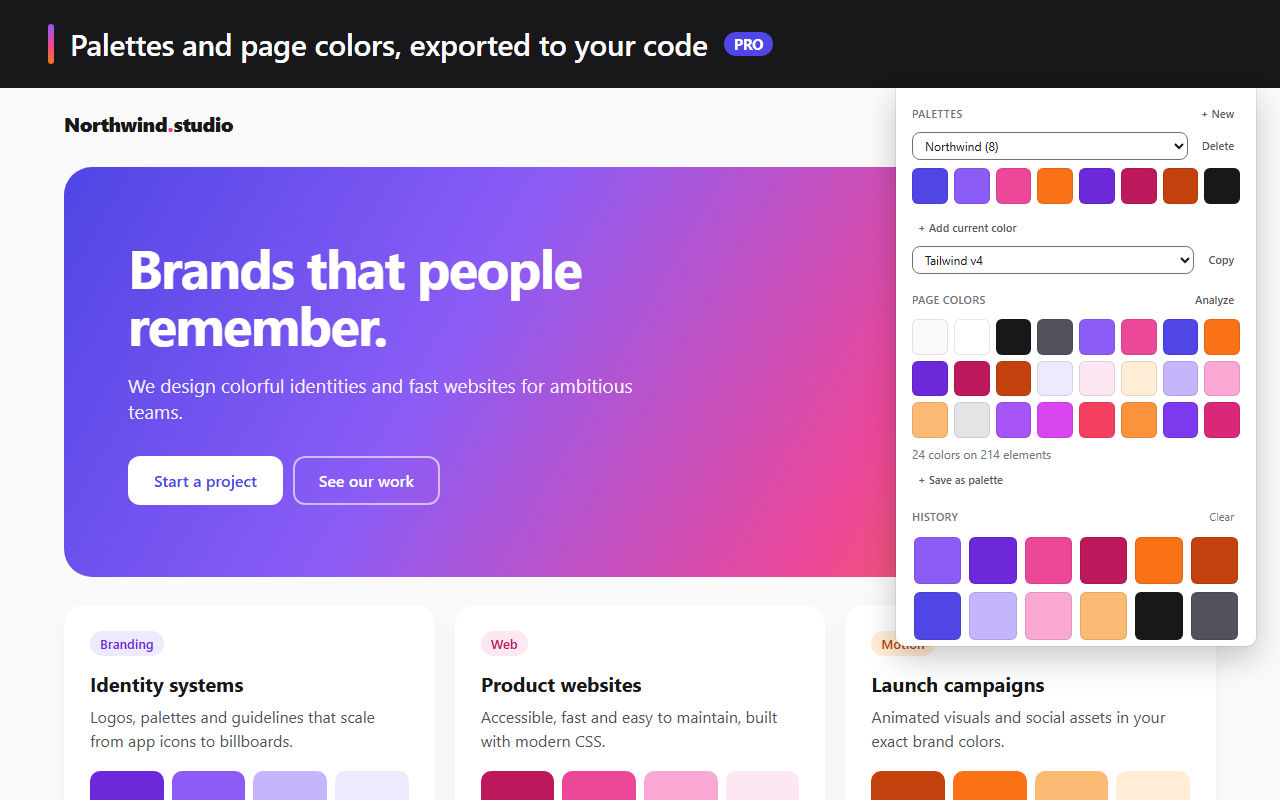
Keep your colors in up to 50 named palettes of 30 colors each, synced between your computers by your browser if you wish. Export them for your code or your design tools.

  • CSS, SCSS, Tailwind v3 and v4, JSON
  • .ase for Adobe software

A page's colorsPRO

“Analyze” lists the colors used on the page: backgrounds, text, borders and SVG. With Pro, up to 48 colors, saved straight into a palette.

Light and dark theme, WCAG AA contrast, and 22 languages to choose from the popup's globe or the Settings page, which also holds the shortcut, the right-click menu and the license.

A palette, its Tailwind v4 export and the 24 colors found on the page

Free and Pro

What Pro unlocks

FreePro
Eyedropper with magnifier and keyboard aimingYesYes
Full-screen eyedropper, outside the pageYesYes
HEX, RGB, HSL and Tailwind colorYesYes
History10 colors500 colors
Palettes of 30 colorsOneUp to 50
CSS, SCSS, Tailwind, JSON, .ase exportNoYes
Colors of the analyzed page848, can be saved as a palette
WCAG AA and AAA contrastNoYes
Language choice, Settings page, light and dark themeYesYes

Pro is activated with your Vibevalse Suite license key, pasted in the extension's settings (also reachable from the popup). Changing devices? Deactivate the license in the settings, then enter the same key on the new one. The extension requires Chrome or Edge 120 or later.

Pro, and every other extension

The Vibevalse Suite unlocks Pro in ChromaDrop, in FocusGrip, in Snapveil and in every extension of the Suite, today's and tomorrow's. One payment, refunded within 14 days if it's not for you.

See the Vibevalse Suite